

Circular gauge
General Styling Customization
Introducing an array of general styling options to customize your Circular Gauge visualizations in our Qlik Sense extensions. These improvements encompass background color and background image, as well as title, subtitle, and footnote texts, enabling you to easily align your data presentation with your design vision.
Access and configure these settings within the properties panel, specifically under the Styling > General section. Here, you can select font styles, color schemes, and more to tailor your visuals to your preferences.
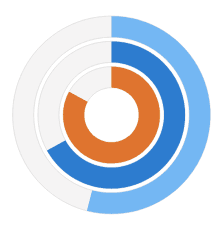
Versatile Circular Gauge
Gain freedom in effectively visualizing your KPIs using our Circular Gauge extension for Qlik Sense! With new options for viewing your KPIs, you'll find our gauges to be flexible beyond the standard ones in use today.
Highlights:
- New selection of shapes and sizes provides you with more options
- Multiple pointers/reference ranges show more info in a smaller space
- Support for custom images allows you more branding options
See the Circular Gauge Features demo app for Qlik Sense.